
How do I reveal the draw results?
In Secret until the big day and Double mystery modes, the draw results are revealed when you, the organizer, decide (it isn't automatic): go to My events, click Manage this event, then Reveal the results.
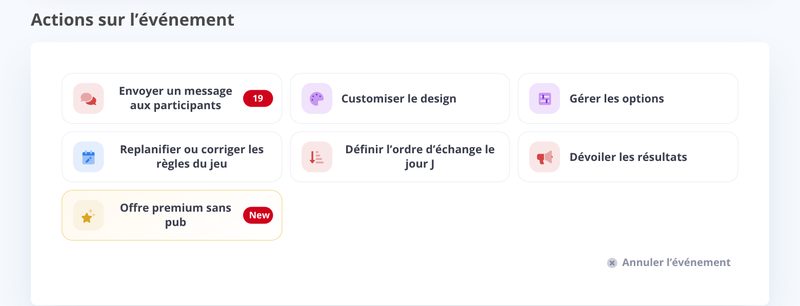
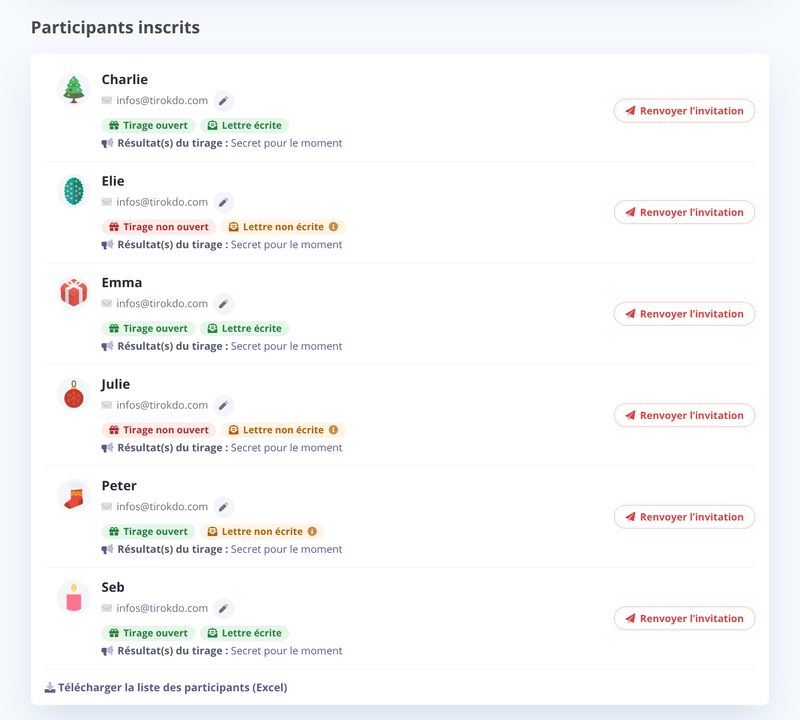
- Level 1: visible to the organizer only - the results appear in the list of participants, on the "Draw result(s)" line.
- Level 2: visible to all participants (final) - each participant finds out who gave them their gift, on the home page of their participant area.

For the reveal to all participants, choose when:
- Now: available as soon as the gift exchange opens on the big day (at the event's gift exchange time, or at midnight if none is set).
- Automatically on the big day: before that time, click Schedule the reveal; the results are revealed right at the gift exchange time on the big day, the one shown to participants. There's only one date and one time: if you change the big day or the gift exchange time, the reveal follows.
Check the email option to let participants know the results are available: they get the email at the moment of the reveal.
As long as the results haven't been revealed, the list shows "Secret for now".
By going back to the participant area (through the notification email or the original invitation), participants just click Result to see who they drew (or the people they drew if there are several draws per participant).

Updated on: 04/11/2026
Thank you!