
How do I organize a Secret Santa with My Secret Santa?
It's simple, just like drawing names out of a hat. There are 4 main steps:

Create your event on the Start a Secret Santa page and set:
- The event date (the day you exchange gifts - prefilled with 12/24 during the Christmas season)
- The rules of the game (optional: gift format, theme, DIY, etc.)
- The min / max budget for gifts (optional)
- The list of participants (name and email address - the email can be added later, but it's required to send the invitations). You can also share a sign-up link so everyone can sign up themselves.
Under "Display advanced options" (optional)
- The number of draws per participant (from 1 to 5 - most of you will stick with 1: everyone gives 1 gift and receives 1)
- The draw mode: 🤫 Secret until the big day (recommended), 👀 Revealed to everyone or 🎭 Double mystery (see What are the differences between the 3 draw modes?)
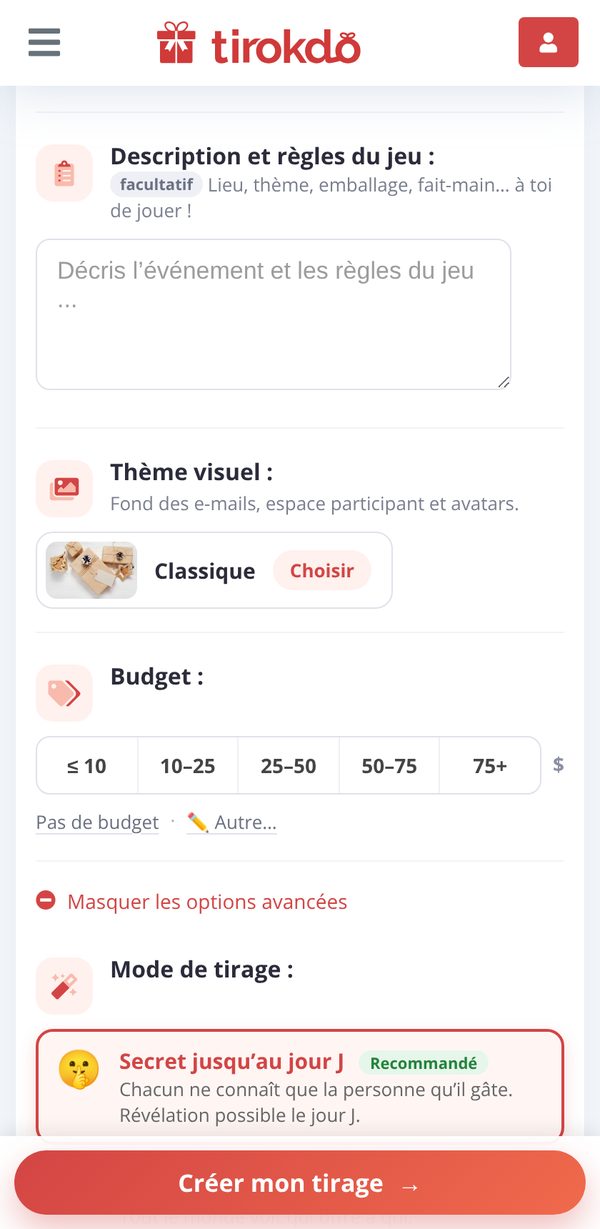
Click Create my draw, then sign in (Google, Apple, LinkedIn, Facebook or email) to save it: no email is sent to participants without your go-ahead.
You land on your event's management page. There, you can set exclusion rules (e.g. no drawing your partner) with Manage groups & exclusions, edit the event or customize its design.
To move on to step 2, click Confirm and send the invitations!: each participant receives their invitation by email almost instantly.
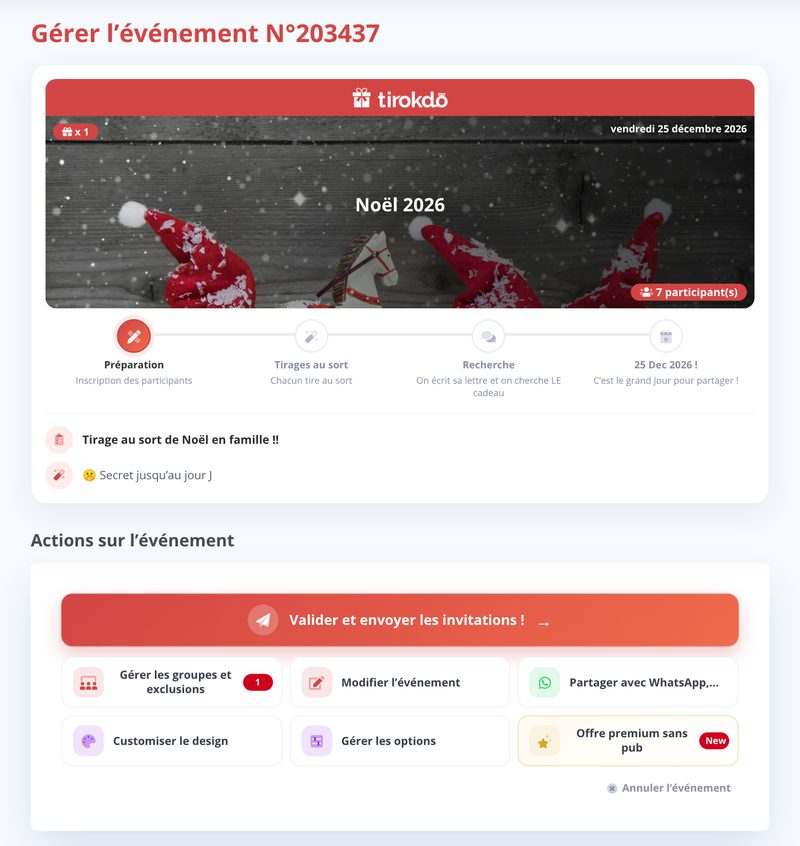
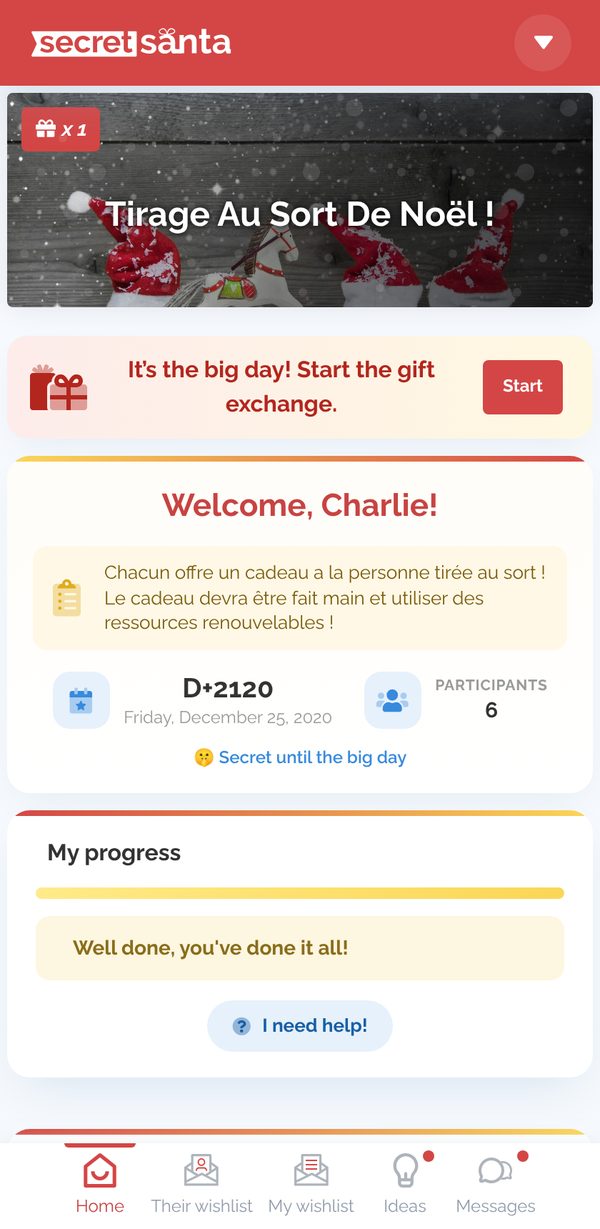
Each participant has received their invitation email, which gives them access to their participant area.
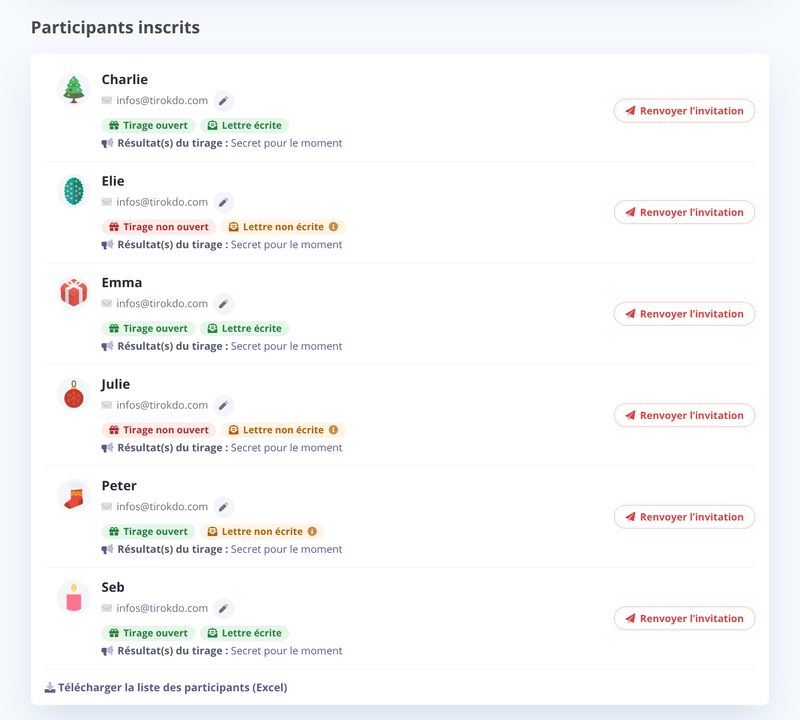
As the organizer, from My events, you can check at any time who has opened their draw and written their wishlist, fix email addresses and resend invitations (without having access to the results).
Once they've opened their draw, each participant can exchange anonymous messages with their recipient, write their wishlist and find gift ideas.
The big day is here, time to exchange gifts!
- Each participant can start the gift exchange from their participant area: gifts are opened one by one and each Secret Santa is revealed (see How does the gift exchange work on the big day?).
- In Secret until the big day or Double mystery mode, you can also reveal the results of all the draws from My events.
Updated on: 16/10/2026
Thank you!