
How do I customize the design of my event?
The visual theme
When you create an event, you can choose a visual theme:
- the participant area is customized in the theme's colors,
- and so is the background of the emails sent to participants.
Each participant is assigned an icon (a Christmas object for the "Christmas" themes, a flower for the "Flower power" theme, etc.).
You choose the theme on the Start a Secret Santa / Edit page (Visual theme section).
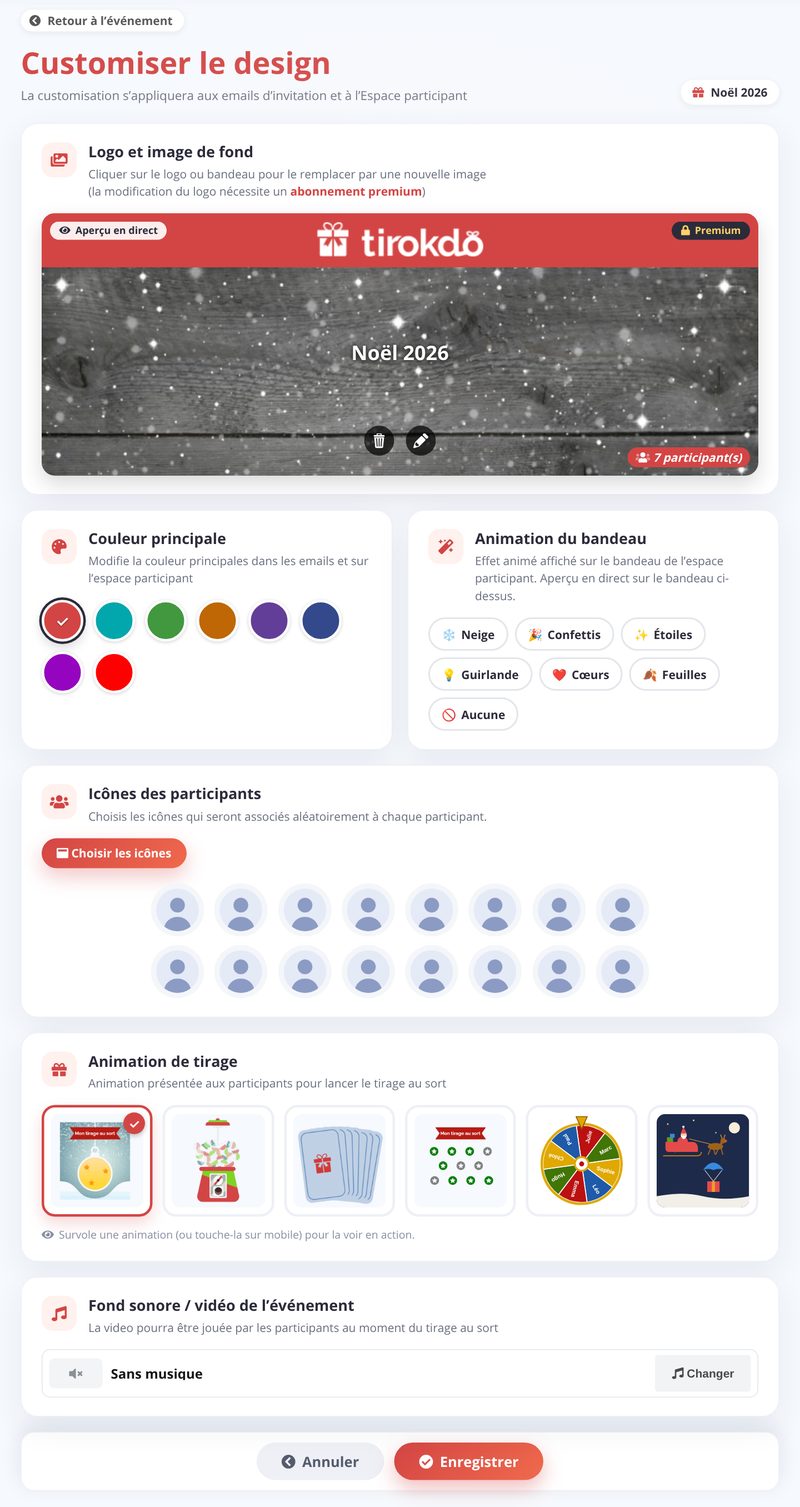
Click Customize the design from your event's management page. You can change:
- the logo and background picture (banner) - an editor lets you crop them (a custom logo is part of the Premium plan)
- the main color
- the banner animation
- the participants' icons
- the draw animation: scratch ball, ball machine, cards to draw, stars to pick, wheel…
- the background music / video played during the draw
A live preview shows you the result; click Save to confirm.
Updated on: 15/10/2026
Thank you!